 Skip to content
Your ROAS is tanking, but your competitor just raised their prices and somehow they’re still winning. Here’s why your ad strategy is probably fighting the wrong battle.
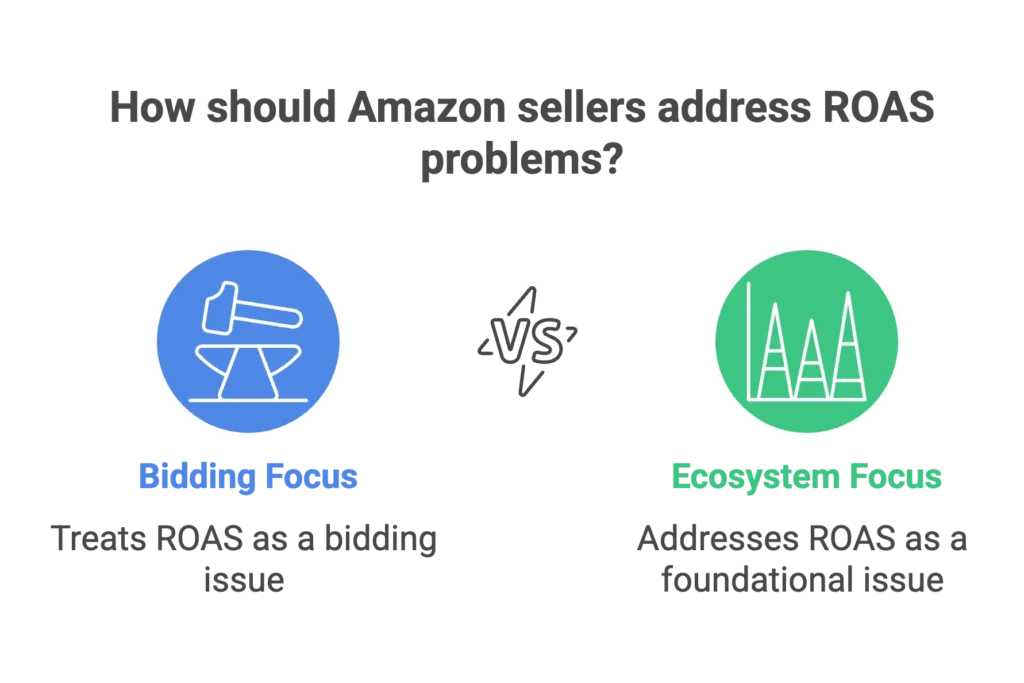
Most Amazon sellers treat ROAS problems like a bidding issue when it’s actually an ecosystem issue. After 12+ years of building brands on Amazon (including a current listing doing $400K/month with zero ad spend), I’ve learned that poor ROAS is rarely about your bids—it’s about the foundation your ads are built on.
This framework will show you the three-layer diagnostic system that reveals whether your Amazon ad performance slump is a catalog issue, a demand capture problem, or an efficiency problem. By using this systematic approach to reverse an Amazon ad performance slump, you’ll know exactly where to focus your efforts for maximum impact. Addressing these layers is the only way to move from a breaking Amazon seller plateau to sustainable, high-margin growth.
This isn’t theory from a conference room. I currently manage accounts using this exact framework while running my own brand that scaled from launch to $400K monthly revenue. The difference between ads that build businesses and ads that just burn budgets comes down to understanding Amazon as a ranking game, not a pay-to-play platform.
Why Most ROAS Fixes Fail: The Ecosystem Reality
Here’s the uncomfortable truth: if you have to keep feeding ads to make sales, you’re not growing—you’re paying rent.
Amazon rewards listings that convert, not just listings that spend. Yet most sellers approach ROAS problems by tweaking bids and budgets while ignoring the fundamental chain reaction that actually drives Amazon success: ads → rank → reviews → conversion → ad efficiency.
I recently ran a 90-day experiment with my own brand that proves this point. We were forced to cut all ad spend to zero due to stock constraints. The result? Sales kept climbing, organic rankings held strong, and profit margins nearly doubled. Why? Because the ads weren’t propping up the listing—they had built its foundation.
Most sellers think ads equal sales. That’s the wrong equation. Ads should equal ranking. If you’re constantly spending just to maintain sales, your ads aren’t working—they’re just buying you temporary placement. You’re stuck in what I call the “hamster wheel effect.”
The sellers who break free understand that Amazon operates as an ecosystem where every element affects every other element. Your organic ranking influences your ad efficiency. Your conversion rate impacts your organic visibility. Your stock levels determine whether Amazon will even show your listing to potential customers.
Here’s the reality check: If you turn off ads today and your sales flatline, you’re not building a business—you’re renting visibility from Amazon.
The 3-Layer ROAS Diagnostic Framework
Before you touch a single bid or keyword, run this diagnostic sequence. Each layer answers a different question and requires different solutions. Most sellers jump straight to Layer 3 (efficiency optimization) when their real problem lies in Layer 1 or 2.
Layer 1: Catalog & PDP Gatekeepers (Pass/Fail Foundation)
Your ads might be perfectly optimized, but if these fundamentals are broken, no amount of bid adjustment will save your ROAS. This layer is pass/fail—if anything here fails, fix it before optimizing ads.
Featured Offer Status Check
Are you winning the Buy Box consistently? This isn’t just about having the lowest price. Amazon considers shipping speed, seller performance, and stock availability. If you’re not the Featured Offer, your ads are sending traffic to your competitors.
Quick audit: Check your main ASINs at different times of day. If you’re losing the Buy Box, investigate pricing and shipping advantages before increasing ad spend.
Stock Health & Distribution
Here’s what most sellers miss: Amazon treats each size or color of your product like its own listing. If one child ASIN goes out of stock, it doesn’t just disappear—it can hurt your entire parent listing’s organic rank.
I aim for 60-90 days of inventory, not just because stockouts kill momentum, but because low stock levels trigger Amazon’s algorithm to deprioritize your listing. When you drop below 30 days of stock, Amazon stops distributing your inventory evenly across fulfillment centers.
The result? Customers in some regions see longer shipping times, which kills conversions and tanks your organic rank. I learned this lesson firsthand when some of my variations weren’t completely out of stock, but Amazon couldn’t promise fast delivery everywhere; this regional lag is a silent driver of a sudden Amazon ad performance slump. Sales slowed until stock levels improved and distribution normalized, proving that you cannot fix an Amazon ad performance slump with higher bids if your inventory isn’t positioned to win the Buy Box across the country.
Mobile-First Listing Quality
Most Amazon shopping happens on mobile, where customers rarely scroll past the title and main image. Your listing needs to convert above the fold, or your ad traffic will bounce regardless of how targeted your keywords are.
Test your main images for click-through rates in search results. A 0.1% improvement in CTR from search can dramatically improve both your organic ranking and ad efficiency.
Backend Catalog Architecture
This is the hidden killer that 99% of sellers never check. Inconsistent browse nodes between variations, incorrect item type keywords, or missing backend attributes can crush your performance without warning.
Amazon’s automatic catalog updates often create these issues. I use the Category Listing Report from Seller Central monthly to catch problems before they impact rankings. One client saw a 40% drop in organic visibility because Amazon changed their item type keyword automatically, shifting them to an irrelevant category.
Action Trigger: If ANY Layer 1 element fails, fix it before optimizing ads. Running ads on broken fundamentals is like pouring water into a bucket with holes.
Layer 2: Demand Capture (Share of Intent Analysis)
Most sellers optimize for keywords they already rank for instead of capturing the demand they’re missing. This layer uses Amazon’s own data to find your biggest opportunities.
Search Query Performance (SQP) Analysis
Amazon’s Brand Analytics shows you exactly where you’re losing potential customers. Download your Search Query Performance report and map the conversion funnel: impressions → clicks → cart-adds → purchases.
Here’s my weekly workflow: Identify the top 10 high-intent queries where you have low click share despite decent impression share. These represent immediate opportunity—customers are searching, seeing competitors, but not clicking on you.
For each underperforming query, determine if it’s an impression share problem (not showing up enough) or a conversion problem (showing up but not converting).
Top-of-Search Impression Share Audit
Amazon exposes this metric in your advertising reports, and it’s a leading indicator of future performance. When you are hit with an Amazon ad performance slump, check if your impression share is low despite good click-through rates; if so, increasing placement modifiers and budgets is the fix. However, when impression share remains high but conversion rates are weak, the Amazon ad performance slump is a listing problem, not an ad placement issue.
I set up performance-based budget rules to maintain consistent top-of-search visibility for our most important keywords. The goal isn’t just to appear—it’s to appear when it matters most.
Search Catalog Performance Deep Dive
This Brand Analytics report shows how your category performs over time and reveals seasonality patterns that affect demand. Use it to identify when to push harder with ads versus when to focus on efficiency.
Weekly Action Protocol:
- Download SQP data every Monday
- Identify top underperforming high-intent queries
- Choose action: impression share uplift, listing fixes, or negative match
- Track organic rank movement for targeted terms
The goal is to systematically capture more of the existing demand before trying to create new demand through upper-funnel advertising.
Layer 3: Efficiency & Incrementality Optimization
Once your foundation is solid and you’re capturing available demand, this layer maximizes profitability and builds sustainable growth.
Amazon Marketing Stream Dayparting
Most sellers miss this entirely: Amazon provides hourly performance data through Marketing Stream. To reverse a sudden Amazon ad performance slump, you must use this data to identify when your ads perform best and worst, then adjust budgets accordingly. By identifying high-conversion windows, you can ensure your spend is concentrated where it drives the most impact, effectively ending an Amazon ad performance slump caused by inefficient dayparting.
I analyze hourly CPC, CTR, and conversion rates to optimize budget pacing. If performance drops significantly during certain hours, suppress spend automatically rather than burning budget on low-yield traffic.
Incrementality Measurement
Stop optimizing ROAS on repeat buyers. Separate your new-to-brand performance from overall performance, especially for Sponsored Brand and Sponsored Display campaigns. A campaign might look unprofitable overall but be highly valuable for customer acquisition.
Amazon’s “long-term sales” metrics show the true value of your advertising beyond the immediate attribution window. Factor this into your optimization decisions.
Performance-Based Budget Rules
Set up ROAS guardrails that automatically scale profitable keywords while protecting you from overspend on underperformers. The goal is intentional spend—every dollar should have a specific purpose (rank building, data capture, or momentum maintenance).
The Tools and Data Sources You Need
Essential Amazon Tools:
- Brand Analytics (SQP & SCP reports)
- Amazon Marketing Stream (hourly data)
- Search Term Report (weekly analysis)
- Category Listing Report (backend audit)
For campaign management, I use Scale Insights because it’s more customizable than platforms like Quartile or FeedVisor. The ability to create complex rules and automation workflows makes the difference when managing multiple accounts with different goals.
Key Metrics to Track Weekly:
- TACoS (Total Advertising Cost of Sales) – more important than ACoS
- Organic units vs. ad units ratio – should trend toward organic over time
- Top-of-Search Impression Share for target keywords
- New-to-brand percentage for upper-funnel campaigns
Common ROAS Killers to Avoid
Bidding Wars Without Rank Foundation
Treating Amazon like Google Ads is expensive. On Google, the highest bidder generally wins. On Amazon, the listing that converts best wins. Build conversion strength through organic ranking before engaging in bidding wars.
Inventory Mismanagement
Running ads with less than 30 days of stock is burning money. Amazon’s algorithm deprioritizes low-stock listings, making your ads less effective. When stock drops below 30 days, pause ads immediately to preserve what inventory you have for organic sales.
Backend Neglect
Never accept Amazon’s automatic catalog updates without review. Inconsistent browse nodes between variations prevent review merging and can crash your rankings overnight. Audit your backend monthly using the Category Listing Report.
Advanced Strategy: When Search Demand is Saturated
Once you’ve maximized search capture, create new demand through upper-funnel advertising to pull your brand out of an Amazon ad performance slump. Sponsored TV and Prime Video ads can generate category awareness that shows up later in your Search Query Performance data, providing the top-of-funnel momentum needed to reverse a persistent Amazon ad performance slump. By building brand recognition outside of direct search, you ensure your conversion rates remain stable even when PPC costs rise.
The key is measuring downstream effects. Upper-funnel investment should create new search volume for your category terms, which you can then capture through optimized search campaigns.
Frequently Asked Questions
How do I know if my ROAS problem is a bidding issue or a catalog issue?
Run the Layer 1 diagnostic first. If you’re not winning the Buy Box consistently, have stock issues, or mobile conversion problems, no amount of bid optimization will fix your ROAS. Fix the foundation first.
What’s the ideal ratio of organic sales to ad sales?
Aim for 60-70% organic sales once your listing is established (6+ months). If you’re seeing less than 40% organic sales, you’re likely in a pay-to-play cycle that’s not sustainable long-term.
Should I pause ads when ROAS is poor?
It depends on your organic ranking. If you’re not ranking organically for your target keywords, pausing ads will tank your visibility. The goal is to use ads to build organic rank, then gradually reduce dependence as organic strength grows.
How long should I test ad changes before making decisions?
For most changes, 7-14 days minimum with at least 50 clicks per keyword. However, budget rule changes and dayparting can show results in 2-3 days due to hourly data availability.
What’s the biggest mistake sellers make with Amazon ads?
Treating ACoS as the primary KPI instead of understanding the relationship between ads, organic rank, and total profitability (TACoS). A temporarily high ACoS that builds organic rank is often more valuable than a low ACoS that generates no ranking momentum.
Your Next Steps
Poor ROAS isn’t solved by better bidding—it’s solved by building a foundation that converts paid traffic into organic ranking momentum. Most sellers are fighting the wrong battle, allowing a temporary Amazon ad performance slump to dictate their long-term strategy while ignoring the fundamentals that actually drive Amazon success. To fix a persistent Amazon ad performance slump, you must look beyond your PPC dashboard and audit your catalog architecture and inventory health to ensure your ads are building equity, not just burning budget.
Start with the Layer 1 diagnostic on your top 3 ASINs. Download your last 30 days of Search Query Performance data. Audit your organic rank for your top 10 ad keywords.
The difference between ads that drain your budget and ads that build your business comes down to understanding Amazon as an ecosystem, not an advertising platform. Stop paying rent on visibility and start building equity in organic rankings that compound over time.
Amazon isn’t just an ad game—it’s a ranking game. Get that part right, and profitable sales will follow.
Related reading: the organic ranking signals your ad structure is either feeding or starving

