 Skip to content
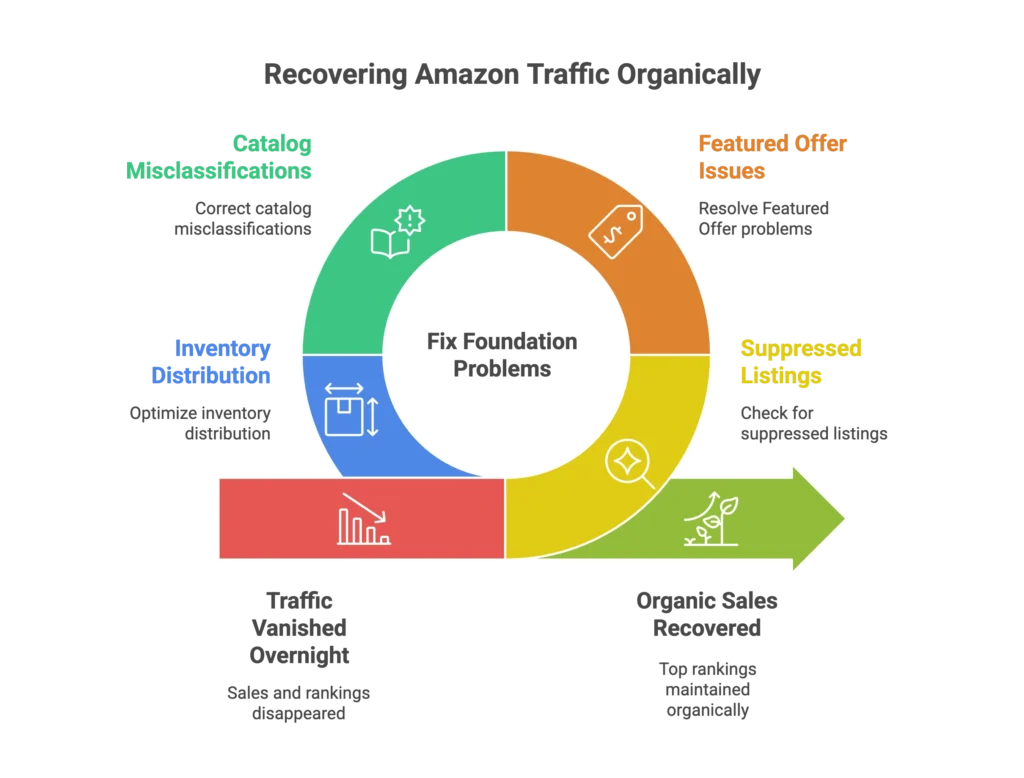
Your Amazon traffic vanished overnight. Sales dropped. Rankings disappeared. And you’re left staring at Seller Central wondering what went wrong.
Most sellers panic and immediately throw more money at PPC ads, hoping to buy their way back to visibility. But here’s the truth from someone who’s been selling on Amazon for 12+ years: Amazon traffic loss recovery isn’t an ad problem—it’s a foundation problem. If you ignore the root cause, you’ll find yourself in an Amazon revenue plateau that no amount of ad spend can fix. Successful Amazon traffic loss recovery requires auditing your backend catalog and inventory health before trying to ‘outspend’ a ranking drop.
After building and scaling multiple brands on Amazon, including my own clothing brand that hit $400K monthly with zero ad spend, I’ve learned that sustainable traffic recovery isn’t about outspending competitors. It’s about understanding Amazon’s ecosystem and fixing the root causes that most sellers miss.
Amazon isn’t Google Ads. It’s a ranking game where organic visibility is everything. When traffic drops, there’s always a systematic reason—suppressed listings, Featured Offer issues, catalog misclassifications, or inventory distribution problems that most agencies never check.
In this guide, I’ll walk you through the exact recovery framework I use with clients—the same approach that helped me maintain top rankings for competitive keywords even after cutting ad spend to zero for 90+ days. No theory, no guesswork. Just the step-by-step system that gets listings back to generating organic sales.
The Real Reasons Amazon Traffic Disappears
Amazon’s Silent Suppressions That Kill Visibility
What if I told you Amazon could secretly be changing your product’s classification without any notice? This silent killer can tank your organic rank, force you to overspend on ads, and drain your sales without you realizing why.
Amazon’s bots love to change things. One day, your product is categorized correctly, and the next, a small backend modification completely derails your rank, PPC performance, and visibility. The worst part? Everything looks fine on the front end, but in the backend, Amazon’s algorithms might fill in missing fields with irrelevant data, wrecking your listing’s chances of success. To begin a successful Amazon traffic loss recovery, you must verify your Category Listing Report against the Browse Tree Guide to ensure your Item Type Keyword hasn’t shifted. Without this technical audit, your Amazon traffic loss recovery efforts will fail because you’re fighting a categorization error rather than a demand issue.
Most sellers never check the suppression reports in Seller Central. They’re too busy watching their ad dashboard, wondering why their ACOS is climbing. But suppressed listings—whether search-suppressed or completely inactive—are invisible to customers regardless of how much you spend on ads.
Here’s what sellers often miss: Seller Central suggestions aren’t always helpful. Just because Amazon suggests a change doesn’t mean it’s right. Accepting these modifications blindly can lead to costly visibility losses that take weeks to identify and fix.
The Featured Offer Trap
Having inventory doesn’t guarantee you’ll win the Buy Box. And winning the Buy Box doesn’t guarantee sales. Amazon’s Featured Offer eligibility requirements have become increasingly complex, with Fair Pricing Policy violations quietly throttling visibility for sellers who don’t realize they’re being penalized.
I’ve seen listings with perfect conversion rates suddenly lose traffic because their pricing triggered Amazon’s Fair Pricing algorithms. The seller keeps running ads, wondering why performance dropped, never realizing that Amazon traffic loss recovery starts with price compliance, not more ad spend. If Amazon is limiting your listing’s exposure due to pricing concerns, your primary focus for Amazon traffic loss recovery must be realigning your price architecture to restore the algorithm’s trust and regain your organic visibility.
This is where the ecosystem thinking becomes critical. Your conversion rate, pricing strategy, and organic rank work together. When one element breaks down, throwing more ad spend at the problem often masks the real issue without solving it.
Inventory Distribution Hell
Here’s something most sellers don’t realize: just because you have inventory in FBA doesn’t mean Amazon is showing your product with fast delivery times. If your stock isn’t properly distributed across fulfillment centers, Amazon deprioritizes your listing.
I learned this the hard way with my own brand. Some of my sizes weren’t completely out of stock, but Amazon didn’t have enough inventory to place them in every warehouse. The result? Customers in certain regions saw four to five-day delivery times, which lowered conversions and hurt organic rank.
This had nothing to do with shutting off ads. The moment my stock levels improved and distribution normalized, organic ranks and sales picked right back up as part of a natural Amazon traffic loss recovery process. Most sellers would have blamed the traffic drop on ‘algorithm changes’ and increased their ad spend, completely missing the real cause. By focusing on inventory health rather than just PPC, you can trigger an Amazon traffic loss recovery that is both sustainable and highly profitable.
The Traffic Recovery Triage System
When traffic drops, you need a systematic approach—not guesswork. Here’s the exact framework I use to diagnose and fix traffic loss issues:
Step 1: Suppression Audit
Navigate to Manage All Inventory, then click on the Search Suppressed & Inactive section. Download the suppression report and analyze every flagged item. This step alone reveals issues that 90% of sellers never discover.
Look for image requirement violations, including zoom thresholds and policy compliance issues. Check for title policy violations, especially with Amazon’s updated requirements. Identify required attribute gaps that might be causing search suppression.
Fix these foundational issues before spending another dollar on ads. Suppressed listings won’t benefit from increased ad spend—they need catalog corrections first.
Step 2: Featured Offer Health Check
Verify your Featured Offer eligibility in Seller Central. Review Fair Pricing Policy compliance to ensure you’re not being quietly penalized. Analyze your competitive pricing position, but remember that lowest price doesn’t always win if it triggers pricing policy concerns.
Assess how pricing changes affect your conversion rate. Sometimes a slightly higher price with better conversion performance outranks a lower-priced listing with poor engagement metrics.
Step 3: Classification & Browse Node Verification
Use the Browse Tree Guide to verify that your item type keywords and browse nodes match your actual category. Check for adult classification flags that might be limiting your listing’s visibility in search results.
This step requires diving into backend fields that most sellers ignore. Amazon’s bots sometimes modify these classifications without notice, causing sudden ranking drops that appear mysterious until you audit the catalog structure.
Step 4: Brand Analytics Funnel Diagnosis
Access Search Query Performance and Search Catalog Performance in Brand Analytics. Map your funnel from impressions to clicks to cart adds to purchases. Identify exactly where traffic is dropping off.
If you’re getting impressions but no clicks, it’s likely a main image or title issue. If you’re getting clicks but no conversions, focus on pricing, reviews, or product detail optimization. If you’re getting conversions but losing overall traffic, investigate keyword ranking positions.
This data-driven approach eliminates guesswork and shows you exactly where to focus your optimization efforts.
Step 5: Inventory Status Deep Dive
Review your inventory distribution across Amazon’s fulfillment network. Check for stranded inventory that might be blocking optimal placement. Ensure you maintain above 30 days of stock on ranked variations to preserve organic positioning.
Monitor delivery promise accuracy in different geographic regions. Poor stock distribution can cause delivery time extensions that hurt conversion rates and organic rank, even when you technically have inventory available.
Beyond Recovery: Building Anti-Fragile Listings
Recovery is just the beginning. The goal is building listings that maintain visibility and sales momentum regardless of algorithm changes or competitive pressure.
The Organic Ranking Foundation
After 12 years of building Amazon brands, I’ve learned that sustainable traffic comes from organic ranking strength. Strong conversion rates fuel organic momentum more than any ad budget can. When customers consistently choose your product over competitors, Amazon rewards that engagement with higher organic positioning.
Strategic use of the honeymoon period matters more than most sellers realize. New listings get temporary ranking boosts, but only listings with strong fundamentals maintain those positions long-term. Use this window to build genuine customer engagement, not just chase quick sales.
Backend keyword optimization has become even more powerful with Amazon’s expanded character limits. Yet many sellers haven’t updated their backend fields in months or years. These updates improve PPC performance, boost conversion rates, and strengthen organic rank simultaneously.
Mobile-first listing optimization isn’t optional anymore. Most Amazon traffic comes from mobile devices, and listings optimized for desktop often fail to convert mobile traffic effectively.
The PPC-to-Organic Bridge Strategy
Here’s where most sellers get it wrong: they treat PPC as a separate channel instead of a tool for building organic strength. Effective advertising on Amazon builds ranking momentum that eventually reduces ad dependency.
I proved this with my own brand. After spending strategically during the launch phase to secure top positions for main keywords, I was able to pause ads completely while maintaining strong organic rankings. This only worked because the ads were building an organic foundation, not just generating isolated sales. By focusing on conversion signals, I ensured that any potential Amazon traffic loss recovery would be swift because the algorithm already trusted my listing’s relevance. Understanding this foundation is the secret to Amazon traffic loss recovery when competitors try to outspend you on PPC while your organic position stays locked in.
Focus on ranking campaigns for specific keyword targets rather than broad traffic generation. Use ad data to optimize conversion rates across all traffic sources. Know when to pull back ad spend based on organic rank strength rather than arbitrary ACOS targets.
Track organic rank improvements alongside ad performance. If organic positions aren’t climbing after sustained ad investment, you’re renting traffic instead of building market position.
Common Recovery Mistakes That Keep You Stuck
The Ad-First Mentality
Most sellers think traffic problems require advertising solutions. But increasing bids won’t fix suppressed listings. Higher ad spend can’t overcome Featured Offer eligibility issues. And no amount of advertising budget will solve inventory distribution problems.
The difference between traffic problems and conversion problems is critical. Traffic problems require catalog fixes. Conversion problems require listing optimization. Treating conversion issues with traffic tactics, or traffic issues with conversion tactics, wastes time and money.
When ads mask underlying catalog issues, sellers often experience temporary improvements followed by performance crashes. Fix the foundation first, then use advertising strategically.
The Scattered Approach
One-off SEO rewrites without systematic diagnosis rarely work. Amazon’s ecosystem requires holistic thinking—listings, pricing, inventory, reviews, and advertising all work together.
Ignoring Amazon’s official diagnostic tools while relying on third-party guesswork is like fixing a car engine while blindfolded. Use Seller Central’s built-in reports and Brand Analytics before making changes.
Treating symptoms instead of root causes creates endless optimization cycles. Identify why traffic dropped before deciding how to fix it.
Your Recovery Action Plan
Start with the triage system above. Work through each step systematically rather than jumping to the most obvious problems. Most traffic loss has multiple contributing factors, and fixing one while ignoring others provides incomplete recovery.
Use Amazon’s official tools before relying on third-party software. Seller Central contains diagnostic information that most sellers never access. Brand Analytics provides funnel data that reveals exactly where optimization is needed.
Track recovery progress with specific metrics: suppression report status, Featured Offer eligibility, organic rank positions, and conversion rate trends. Set realistic expectations—some fixes show results within days, while organic ranking recovery often takes weeks of consistent performance.
The Bottom Line
Amazon traffic recovery isn’t about hoping the algorithm changes back in your favor. It’s about understanding the ecosystem and fixing the systematic issues that most sellers never discover.
The framework above comes from 12+ years of hands-on Amazon experience—not just consulting, but actively building and scaling brands in real-time. Whether you’re a manufacturer who tried Amazon and failed, or an established seller stuck in an ad-dependency cycle, the Amazon traffic loss recovery principles remain the same. To achieve a full Amazon traffic loss recovery, you must move past quick fixes and focus on the systematic rebuilding of your organic foundation and conversion signals.
Most sellers are stuck in an expensive hamster wheel because they treat Amazon like Google Ads instead of understanding it’s an ecosystem where organic ranking is everything. You don’t need hundreds of mediocre listings—you need a few dominant ones. The honeymoon period and proper catalog structure matter more than your ad budget.
If you’re ready to move beyond band-aid solutions and build listings that generate sustainable organic growth, the systematic approach outlined here provides your roadmap from invisible to inevitable.

