 Skip to content
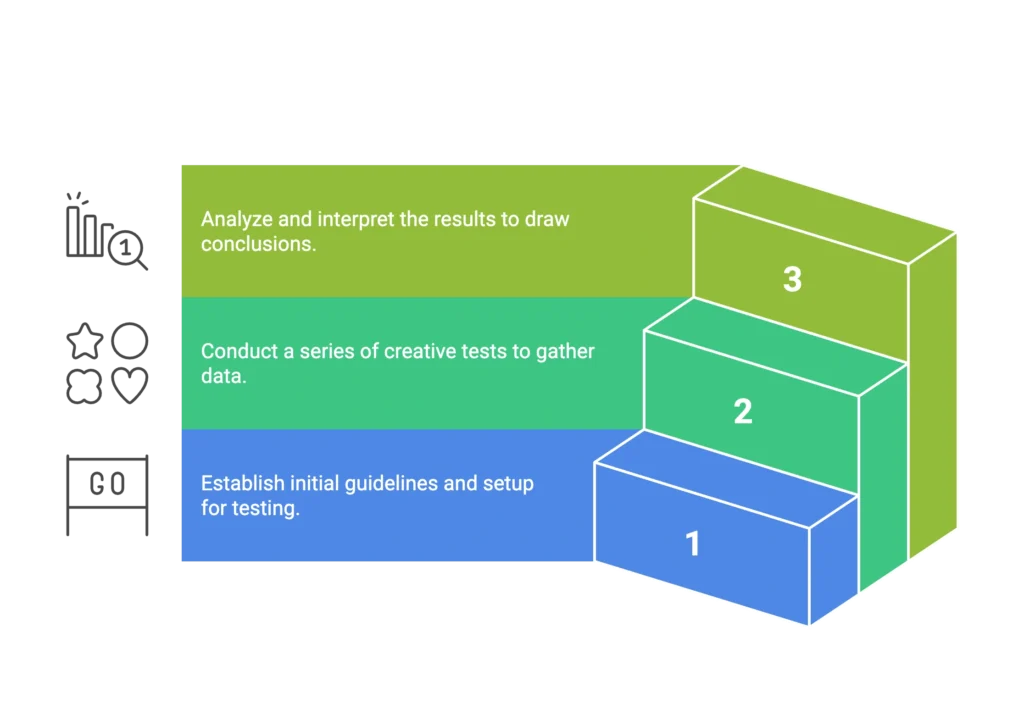
After 12+ years of building and selling Amazon brands, I’ve learned that most sellers are running their listings completely blind. They’ll swap out a main image, change a title, or update bullet points—then wonder why their sales dropped or stayed flat. The truth? Without a systematic approach to A/B testing Amazon listings, you’re gambling with every change.
Most “experts” will tell you to test everything constantly. That’s garbage advice. Random testing without understanding Amazon’s ecosystem is how you kill organic rankings and waste money. I’ve seen sellers destroy profitable listings because they changed too many variables at once or tested on listings that Amazon wasn’t even showing properly.
This guide reveals the exact framework I use to scientifically test and optimize Amazon listings for my clients—the same approach that helped me build listings doing over $1M annually on single SKUs. You’ll learn how to use Amazon’s native testing tools, interpret results correctly, and build sustainable organic growth through data-driven optimization. By mastering these variables, you avoid the common mistakes that land most listings in the Amazon seller graveyard, ensuring your brand remains profitable and competitive.
Here’s what we’re covering: the hidden prerequisites that prevent 80% of failed tests, how to read Amazon’s actual conversion metrics, my field-tested 30-day testing framework, and why proper testing builds organic ranking strength that lasts long after you turn off ads.
Why Most Amazon Split Tests Fail Before They Even Start
The biggest mistake sellers make? They start testing without checking if Amazon will even show their listing consistently. I’ve audited accounts where sellers spent months testing images on listings that Amazon couldn’t deliver quickly due to stock distribution issues. The creative wasn’t the problem—the operational foundation was broken.
Brand Registry is non-negotiable. Without it, you can’t access Manage Your Experiments, Amazon’s native testing platform. Third-party tools can’t integrate with Amazon’s actual conversion data, so you’re getting incomplete information. If you’re serious about testing, get Brand Registry first.
Traffic volume determines test validity. You need at least 1,000 sessions over your test period to reach statistical significance. Testing on low-traffic listings is like flipping a coin twice and declaring the results meaningful. Drive traffic through ads or organic optimization before testing creative elements.
Inventory distribution kills more tests than bad creative. Here’s what most people don’t understand: Amazon places your inventory across fulfillment centers based on predicted demand. If you’re understocked in key regions, customers see longer delivery times, which tanks conversion rates regardless of how good your main image is.
One of my clients was convinced their new main image was converting poorly. After digging into their inventory reports, we discovered Amazon couldn’t promise fast delivery in major markets. The moment we fixed their stock levels, conversions improved immediately—the image was never the issue.
The honeymoon period matters more than most tests. When you launch new listings or make major changes, Amazon gives you a temporary boost to gather performance data. If you waste this period with weak creative or operational issues, you’ll spend months trying to recover that initial momentum.
The Unit Session Percentage Reality Check
Most consultants throw around terms like “conversion rate” without specifying which metric they’re actually tracking. Amazon has multiple conversion metrics, and using the wrong one will lead you to optimize for vanity numbers instead of what actually drives organic rankings.
Unit Session Percentage is what matters. This metric (found in Business Reports under “Detail Page Sales & Traffic by Child Item”) shows units sold divided by sessions. It’s different from Session Percentage, which measures the percentage of sessions that resulted in any purchase. Unit Session % directly correlates with how Amazon’s algorithm views your listing’s performance.
Here’s the exact path: Seller Central → Reports → Business Reports → Detail Page Sales & Traffic by Child Item. Record these numbers before any test begins. Without baseline metrics, you can’t determine if changes actually improved performance or if external factors influenced results.
Buy Box percentage affects every test result. If you lose Buy Box during a test, your conversion rates will drop regardless of creative changes. Always monitor Buy Box percentage alongside conversion metrics. I’ve seen sellers blame failed image tests when the real issue was pricing competition that knocked them out of the Buy Box.
Amazon’s algorithm notices Unit Session % changes faster than most sellers realize. When I help clients optimize listings, we see organic ranking shifts within days of meaningful conversion improvements. This isn’t theory—it’s how Amazon’s system actually works.
The 30-Day Testing Framework That Actually Works
Most sellers approach testing backwards. They jump straight into creative changes without ensuring operational fundamentals are solid. This framework protects your revenue while systematically optimizing performance.
Phase 1: Operational Guardrails (Days 1-3)
Before testing any creative elements, audit your operational foundation:
Inventory Health Check – Maintain minimum 30-day stock levels across all variations. Check FBA inventory distribution through your inventory reports. If Amazon shows “Limited Quantity” warnings or extended delivery times, fix these before testing anything else.
Performance Baseline Recording – Document current Unit Session %, Session %, Buy Box percentage, and organic rankings for main keywords. Use Helium 10 or similar tools to track ranking positions. Without baselines, you can’t attribute changes to your tests.
Competitive Analysis – Audit main images of your top 3 competitors. Analyze their price positioning and review velocity. Understanding the competitive landscape helps you design tests that actually differentiate your listing.
I learned this approach the hard way early in my career. I’d run image tests without checking inventory levels first, then watch tests fail when Amazon suppressed variations due to stock issues. Now, operational health comes before creative testing—always.
Phase 2: Creative Testing Sequence (Days 4-25)
Main Image Testing (Week 1) – Start here because main images drive click-through rates from search results. Follow Amazon’s requirements: pure white background (RGB 255,255,255), product fills 85% of frame, minimum 1000px for zoom functionality. Test one variable at a time—angle, lighting, or product styling—never multiple changes simultaneously.
Title Optimization (Week 2) – Focus on mobile-first optimization since most shoppers browse on mobile devices. Test keyword placement and benefit highlighting while staying within character limits. Remember that mobile displays truncate titles earlier than desktop, so front-load your most important information.
A+ Content Module Testing (Week 3) – Only possible if you have published A+ content already. Test individual modules rather than entire layouts. Focus on modules that appear above the fold on mobile devices, as these have the highest impact on conversion decisions.
For one of my clothing brand clients, we systematically tested main images for click-through rates first, then optimized titles for mobile display. This sequence increased Unit Session % measurably because we addressed the biggest conversion barriers in logical order.
Phase 3: Results Interpretation (Days 26-30)
Statistical Literacy Requirements – Wait for at least 2 weeks and 1,000+ sessions before drawing conclusions. Look for statistically significant changes in Unit Session %, not just total sales numbers. External factors like competitor price changes or seasonal trends can skew results.
When to Extend vs. Call Tests – If results show marginal differences, extend the test duration rather than making premature decisions. For seasonal products or low-traffic listings, plan for 30-day test periods minimum.
Manage Your Experiments: The Complete Setup Guide
Amazon built these testing tools for a reason—they integrate directly with the data that influences your organic rankings. Third-party testing software can’t access this information, which is why I only use Amazon-native tools for client testing.
Navigation Path: Brands → Manage Experiments → Create New Experiment. You’ll only see this option if you have Brand Registry and eligible ASINs with sufficient traffic.
Asset Selection Strategy – Choose one element to test at a time. Main images typically have the highest impact on conversion rates, followed by titles, then A+ content modules. Avoid testing multiple elements simultaneously—you’ll never know which change drove results.
Hypothesis Writing Framework – Write clear hypotheses before starting tests. Example: “Testing a lifestyle main image vs. product-only image will increase Unit Session % by showing product in use context.” This forces you to think through expected outcomes rather than testing randomly.
Duration Guidelines – Amazon recommends minimum test periods based on your traffic volume. Higher-traffic listings can reach significance faster, but always prioritize statistical validity over speed. Rushed tests lead to wrong conclusions and potentially harmful changes.
The key difference between successful and failed testing programs isn’t the creative quality—it’s the systematic approach to setup, execution, and interpretation.
The Organic Ranking Connection: Why This All Matters
Here’s what most sellers don’t understand: A/B testing isn’t about short-term conversion bumps—it’s about building listings so strong that they rank organically without constant ad spend. Amazon’s algorithm rewards listings that consistently convert traffic into sales.
Conversion Rate Drives Organic Visibility – When your Unit Session % improves through systematic testing, Amazon’s algorithm takes notice. Higher conversion rates signal to Amazon that your listing satisfies customer intent, leading to better organic placement for relevant keywords.
Sustainable Competitive Advantage – Competitors can copy your pricing or replicate your product features, but they can’t easily replicate a systematically optimized listing that converts traffic at high rates. This creates a sustainable moat around your organic rankings.
Reduced Ad Dependency Over Time – I’ve had clients maintain top organic rankings for months with zero advertising spend because their listings convert at rates Amazon can’t ignore. This is the real value of proper testing—building listings that generate sales with or without paid traffic.
The compound effect is remarkable. Better conversion rates lead to higher organic rankings, which generate more qualified traffic, which provides more data for further optimization. This creates a virtuous cycle that strengthens over time.
Advanced Testing Strategies for Established Brands
Once you’ve mastered basic testing principles, advanced strategies can unlock additional growth:
Multi-Variant Image Galleries – Test different image sequences to optimize the customer journey through your listing. The goal isn’t just getting clicks—it’s guiding customers through the information they need to make purchase decisions.
Price Elasticity Testing – Use Manage Your Experiments to test price points systematically. This is especially valuable during seasonal periods when demand patterns shift. Always test prices within your competitive range to maintain Buy Box eligibility.
Seasonal Creative Rotation – Plan testing schedules around seasonal demand patterns. Test holiday-themed creative before peak seasons, then revert to evergreen creative afterward. This maximizes relevance during high-traffic periods.
Portfolio-Level Strategy – For brands with multiple related products, coordinate testing schedules to avoid market confusion. Test different approaches across similar products to identify patterns that work across your entire catalog.
Frequently Asked Questions
Do I need Brand Registry to run effective Amazon split tests?
Absolutely. Without Brand Registry, you can’t access Manage Your Experiments, Amazon’s native testing platform. Third-party tools can’t integrate with Amazon’s actual conversion data, so you’re flying blind. Brand Registry is non-negotiable for serious testing.
How much traffic do I need before starting split tests?
You need at least 1,000 sessions over the test period to reach statistical significance. Low-traffic listings should focus on driving traffic through ads or organic optimization before testing creative elements. Testing with insufficient traffic leads to inconclusive results and wasted time.
Should I test multiple elements at once or one at a time?
Always test one element at a time. If you change your main image AND title simultaneously, you’ll never know which change drove results. Sequential testing takes longer but gives you actionable insights you can apply to future optimizations.
How long should I run each test?
Minimum 2 weeks for meaningful data, but extend to 30 days for seasonal products or low-traffic listings. The key is reaching statistical significance, not hitting arbitrary time limits. Rushed tests often lead to wrong conclusions.
Can split testing hurt my organic rankings?
Poor tests absolutely can hurt rankings. If you test creative that converts worse, Amazon notices the drop in Unit Session % and may reduce your organic visibility. Always have rollback plans ready and monitor metrics closely during active tests.
The Bottom Line on Amazon A/B Testing
Testing Amazon listings isn’t about guessing—it’s about systematic optimization using Amazon’s own tools and metrics. The framework I’ve shared comes from 12+ years of building brands and managing client accounts, not theoretical knowledge.
Most sellers will read this guide and still wing it with their listings. They’ll make random changes, hope for the best, and wonder why their organic rankings keep declining. But if you’re serious about building a dominant Amazon presence, systematic testing isn’t optional—it’s the foundation.
The difference between successful and struggling Amazon sellers isn’t access to secret strategies or expensive tools—it’s the discipline to test systematically and interpret results correctly. Amazon gives you all the data you need through native tools like Manage Your Experiments and Business Reports. The question is whether you’ll use them strategically or continue gambling with every change.
Remember: Amazon is a ranking game, not just an advertising platform. Every test should strengthen your organic position, not just chase short-term conversion improvements. Build listings that can succeed with or without paid traffic, and you’ll have a sustainable business that compounds over time.

